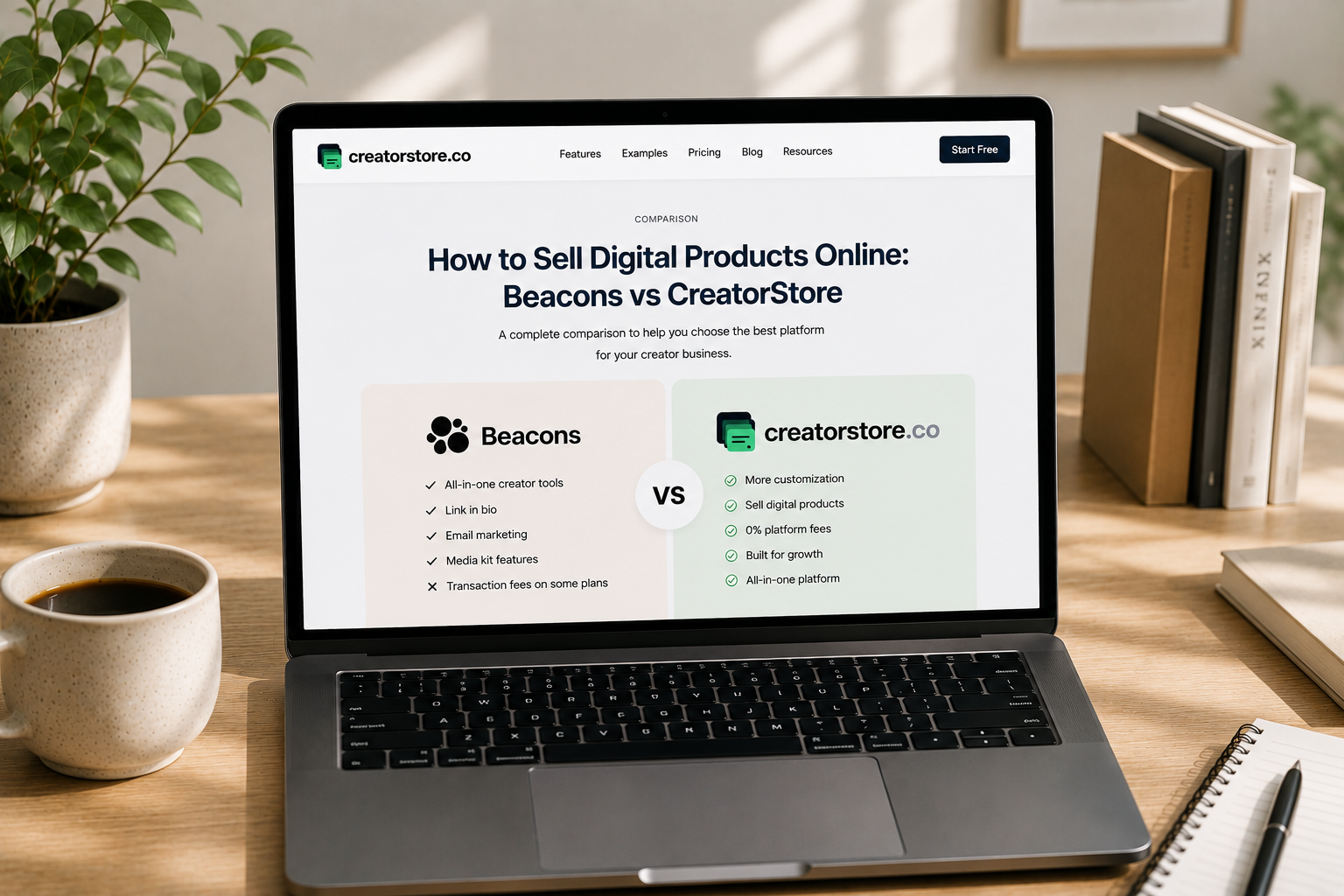
How to Sell Digital Products Online: Beacons vs CreatorStore
Selling digital products online is one of the most accessible ways for creators to turn their knowledge, skills, and audience into income.
Whether you sell PDFs, eBooks, templates, guides, presets, audio, video, or other downloadable content, you need a platform that makes it easy to present your products, accept payments, deliver files, and grow your business.
Two platforms that take this approach are Beacons and CreatorStore.
At first glance, they may look similar. Both combine a link-in-bio page with tools for selling products and connecting with an audience.
However, they have different strengths.
Beacons positions itself as an all-in-one creator platform that combines a Link-in-Bio, digital storefront, email marketing, media kits, affiliate tools, AI features, Instagram automation, courses, memberships, and brand-deal tools.
CreatorStore focuses on building a complete creator storefront where digital products, Bundles, Coaching Calls, Session Packs, Service Bookings, Webinars, and content can live together.
This guide compares Beacons vs CreatorStore to help you understand which platform may be a better fit for your creator business.
Beacons vs CreatorStore: At a Glance
The biggest difference between the two platforms is their overall focus.
Beacons is an all-in-one creator business platform. It combines:
Link-in-Bio
Digital products
Courses
Memberships
Email marketing
Affiliate links
Affiliate marketplace
Instagram Auto-DM
Media kits
Brand partnerships
AI tools
Analytics
CreatorStore focuses more heavily on the storefront and commerce side of a creator business. It combines:
Link-in-Bio
Digital products
Bundles
Coaching Calls
Session Packs
Service Bookings
Webinars
Landing pages
Email collection
Custom domains
Product-level SEO
Booking management
In simple terms:
Beacons = All-in-One Creator Business Platform
CreatorStore = Creator Storefront + Digital Products + Services + Bookings
Neither approach is universally better. The right choice depends on how you plan to monetize your audience.
Beacons vs CreatorStore: Quick Comparison
| Feature | Beacons | CreatorStore |
|---|---|---|
| Link-in-Bio | ✅ | ✅ |
| Sell Digital Products | ✅ | ✅ |
| Digital Downloads | ✅ | ✅ |
| PDFs & eBooks | ✅ | ✅ |
| Templates | ✅ | ✅ |
| Guides | ✅ | ✅ |
| Audio & Video | ✅ | ✅ |
| Instant Digital Delivery | ✅ | ✅ |
| Digital Product Bundles | ❌ | ✅ |
| Online Courses | ✅ | ❌ |
| Memberships | ✅ | ❌ |
| Coaching Calls | ✅ | ✅ |
| Session Packs | ❌ | ✅ |
| Service Bookings | ❌ | ✅ |
| Flexible Service Payments | ❌ | ✅ |
| Webinars | — | ✅ |
| Custom Domain | ✅ | ✅ |
| Product-Level SEO | ✅ | ✅ |
| Landing Pages | ✅ | ✅ |
| Affiliate Links | ✅ | ✅ |
| Affiliate Marketplace | ✅ | ❌ |
| Instagram Auto-DM | ✅ | ❌ |
| Email Marketing | ✅ | ✅ |
| Email Collection | ✅ | ✅ |
| Analytics | ✅ | ✅ |
| Media Kit | ✅ | ❌ |
| Brand Deal Tools | ✅ | ❌ |
| AI Creator Tools | ✅ | ❌ |
| Custom Store Design | ✅ | ✅ |
| 0% Platform Commission | $30/month+ | ✅ |
| English Storefront | ✅ | ✅ |
| Ukrainian Storefront | — | ✅ |
| Free Plan | ✅ | ✅ |
Feature availability can depend on the subscription plan and current platform terms. The comparison focuses on publicly available information from the platforms' official websites.
Beacons vs CreatorStore: Pricing
Pricing is an important part of choosing a digital product platform.
However, the monthly subscription is not the only cost to consider.
Creators should also look at:
Platform commissions
Payment processing fees
Custom domain availability
Digital product features
Email marketing limits
Access to advanced features
Whether the platform can support the business as it grows
Beacons and CreatorStore use different pricing approaches.
Beacons Pricing
Beacons currently offers four main plans.
| Beacons Plan | Monthly Price | Platform Seller Fee |
|---|---|---|
| Free | $0/month | 9% |
| Creator | $10/month | 9% |
| Creator Plus | $30/month | 0% |
| Creator Max | $90/month | 0% |
The Free plan allows creators to start selling digital products without paying a monthly subscription, but Beacons charges a 9% seller fee.
The Creator plan costs $10/month and also has a 9% seller fee.
The Creator Plus plan costs $30/month and removes the seller fee, bringing the platform commission to 0%.
Creator Max costs $90/month and includes the features of Creator Plus together with additional business and support features.
Beacons also offers annual billing, but this comparison focuses on monthly pricing.
CreatorStore Pricing
CreatorStore uses a different approach.
| CreatorStore Plan | Monthly Price |
|---|---|
| Free | $0/month |
| Starter | $19/month |
CreatorStore charges 0% platform commission on sales.
Standard payment processing fees may still apply depending on the payment provider.
This means that the cost structure is different from Beacons.
With Beacons, creators can start for free but pay a 9% seller fee until they move to the Creator Plus plan.
With CreatorStore, the platform does not take a percentage of each sale.
Beacons vs CreatorStore: Platform Fees
The platform commission can become significant as sales grow.
Imagine that you sell $1,000 in digital products in one month.
With a 9% seller fee:
$1,000 × 9% = $90
With 0% platform commission:
$1,000 × 0% = $0
Beacons allows creators to start selling without paying a monthly subscription, but the Free and Creator plans charge a 9% seller fee. The Creator Plus plan at $30/month reduces the platform seller fee to 0%.
CreatorStore's model is based on 0% platform commission.
This makes the pricing decision dependent on the creator's business stage.
For someone who is just testing their first product and has very few sales, paying 9% per sale may be preferable to paying a monthly subscription.
For a creator generating consistent sales, a 0% platform commission model may become more attractive.
Free Plan vs Paid Plan
One of the strongest features of Beacons is its Free plan.
Beacons Free includes:
Customizable Link-in-Bio
Unlimited digital products
Affiliate links
Media kit
9% seller fees
50 email sends per month
Smart Reply Instagram Auto-DM
Real-time analytics
AI credits
This makes Beacons a strong option for creators who want to start selling without paying a monthly subscription.
CreatorStore also offers a Free plan, allowing creators to maintain a storefront with basic functionality without paying for a subscription.
This creates two different approaches.
Beacons:
Start free → sell products → pay 9% seller fee → upgrade to $30/month to remove seller fees
CreatorStore:
Start free → use the Free Plan → upgrade when you need paid functionality → 0% platform commission
For creators who are testing their first product, both models can be attractive for different reasons.
Sell Digital Products
Selling digital products is the core functionality that both platforms provide.
Creators can sell:
PDFs
eBooks
Templates
Guides
Presets
Audio
Video
Downloadable files
Educational content
Beacons
Beacons allows creators to sell unlimited digital products.
The platform specifically highlights products such as:
Digital downloads
Guides
eBooks
Music files
Templates
Courses
Products can be sold directly through the creator's Beacons storefront.
CreatorStore
CreatorStore allows creators to sell digital files with instant delivery and dedicated product sales pages.
Products can include:
PDFs
Templates
Presets
Audio
Video
Guides
Other downloadable content
The main difference is not whether either platform can sell digital products. Both can.
The difference is what other commerce tools surround the digital product.
| Feature | Beacons | CreatorStore |
|---|---|---|
| Sell Digital Products | ✅ | ✅ |
| Digital Downloads | ✅ | ✅ |
| PDFs & eBooks | ✅ | ✅ |
| Templates | ✅ | ✅ |
| Guides | ✅ | ✅ |
| Audio | ✅ | ✅ |
| Video | ✅ | ✅ |
| Instant Delivery | ✅ | ✅ |
| Unlimited Digital Products | ✅ | ✅ |
For creators who only need to sell downloadable products, either platform can work.
The differences become more important when you start adding other products and revenue streams.
Digital Product Bundles
Bundles allow creators to combine multiple digital products into a single offer.
For example:
Template A: $29
Template B: $29
Template C: $29
Bundle: $59
CreatorStore has a dedicated Bundle product type that allows creators to group digital products together, set a discount, and show buyers how much they save.
| Feature | Beacons | CreatorStore |
|---|---|---|
| Digital Product Bundles | ❌ | ✅ |
This can be useful for creators selling:
Template collections
Design resources
Educational guides
Content packs
Business resources
Creator toolkits
For creators with multiple related digital products, Bundles can help create higher-value offers without requiring customers to purchase every product separately.
Custom Domain
A custom domain can be important for creators building a long-term personal brand.
Instead of sending customers to a platform URL, a creator can use an address such as yourname.com.
Beacons supports custom domains on its Creator plan and above, including custom domain Link-in-Bio and Store product URLs.
CreatorStore also supports custom domains.
| Feature | Beacons | CreatorStore |
|---|---|---|
| Custom Domain | ✅ | ✅ |
| Branded Storefront | ✅ | ✅ |
| Custom Product URLs | ✅ | ✅ |
In this category, both platforms provide a strong option for creators who want to build their storefront around their own brand.
Product-Level SEO
SEO can help creators attract visitors from Google instead of relying entirely on social media.
Beacons provides advanced SEO and marketing features on paid plans and supports custom domain URLs for store products.
CreatorStore also provides custom SEO settings for pages and products.
Creators can optimize elements such as:
SEO title
Meta description
Social preview image
| Feature | Beacons | CreatorStore |
|---|---|---|
| SEO Optimization | ✅ | ✅ |
| Product-Level SEO | ✅ | ✅ |
| Custom SEO Metadata | ✅ | ✅ |
Both platforms therefore allow creators to think beyond social media traffic.
A product can potentially be discovered through:
Google Search
Social media
Direct links
Email marketing
Creator storefront traffic
For a creator selling products around specific search queries, SEO can become an additional acquisition channel.
Landing Pages
A digital product often needs more than a simple checkout button.
A strong product page may need to explain:
What the product is
Who it is for
What is included
The benefits
Customer testimonials
Pricing
Frequently asked questions
Both Beacons and CreatorStore provide tools that allow creators to build branded pages around their content and products.
CreatorStore specifically supports landing pages that can be created separately from the main storefront.
This can be useful for campaigns such as:
Instagram Ad → Landing Page → Digital Product
or:
Google Search → Product Page → Purchase
For creators running multiple campaigns, dedicated landing pages can help create more focused customer journeys.
Courses
This is an area where Beacons has an advantage.
Beacons supports online courses with video hosting on its Creator Plus plan and above.
Creators can use the platform to sell educational content in a more structured course format rather than simply delivering individual downloadable files.
| Feature | Beacons | CreatorStore |
|---|---|---|
| Sell Online Courses | ✅ | ❌ |
| Video Hosting for Courses | ✅ | ❌ |
CreatorStore is more focused on digital downloads and other creator commerce formats.
Therefore, if your primary product is a structured online course with hosted video lessons, Beacons may be the more suitable option.
Memberships
Beacons also supports memberships.
Creator Plus and Creator Max allow creators to sell unlimited memberships.
Memberships can be useful for creators who want to build recurring revenue through:
Exclusive content
Subscriber-only resources
Premium communities
Recurring access
| Feature | Beacons | CreatorStore |
|---|---|---|
| Memberships | ✅ | ❌ |
This is another category where Beacons provides functionality that CreatorStore does not currently focus on.
Coaching Calls
Both platforms can be used by creators who sell their time and expertise.
Beacons includes appointments as part of its creator commerce ecosystem.
CreatorStore provides a dedicated Coaching Call product type with scheduling functionality.
Creators can offer:
1:1 calls
Paid consultations
Coaching
Discovery calls
CreatorStore also supports calendar synchronization and Google Meet integration.
| Feature | Beacons | CreatorStore |
|---|---|---|
| Coaching Calls | ✅ | ✅ |
| Booking | ✅ | ✅ |
| Calendar Integration | ✅ | ✅ |
| Google Meet | — | ✅ |
For a creator who sells coaching alongside digital products, both platforms can support this business model.
Session Packs
CreatorStore goes further by offering a dedicated Session Packs product type.
Instead of selling individual sessions, creators can sell several sessions together.
For example:
1 Coaching Call: $50
5 Coaching Sessions: $200
| Feature | Beacons | CreatorStore |
|---|---|---|
| Session Packs | ❌ | ✅ |
This can be useful for:
Coaches
Consultants
Mentors
Trainers
Educators
Instead of selling one appointment at a time, creators can package their expertise into a higher-value offer.
Service Bookings
CreatorStore also supports Service Bookings.
This allows creators to sell services that require scheduling.
Examples include:
Photoshoots
Training
Design
Events
Consulting
Creative services
CreatorStore supports flexible payment structures, including:
Full payment
Deposits
Custom installments
| Feature | Beacons | CreatorStore |
|---|---|---|
| Service Bookings | ❌ | ✅ |
| Deposits | ❌ | ✅ |
| Installments | ❌ | ✅ |
This makes CreatorStore particularly relevant for creators who monetize their expertise through a combination of products and services.
A single storefront can combine:
Digital Products + Coaching + Session Packs + Services + Bookings
Webinars and Live Sessions
CreatorStore also supports Webinars and group sessions.
Creators can:
Schedule live events
Limit seats
Sell access
Display a LIVE badge
This can be useful for:
Workshops
Group coaching
Live training
Educational sessions
Paid webinars
| Feature | Beacons | CreatorStore |
|---|---|---|
| Webinars | — | ✅ |
| Group Sessions | — | ✅ |
| Seat Limits | — | ✅ |
This gives creators another way to monetize their knowledge beyond downloadable products and one-to-one calls.
Affiliate Links and Affiliate Marketplace
Affiliate marketing is one of Beacons' strongest areas.
Beacons allows creators to create affiliate links and participate in an affiliate network with more than 12,000 brand partners, according to its official materials.
Creators can use affiliate products alongside their own digital products and other monetization methods.
CreatorStore supports affiliate links, allowing creators to include affiliate offers as part of their storefront.
However, CreatorStore does not currently offer the same built-in affiliate marketplace ecosystem.
| Feature | Beacons | CreatorStore |
|---|---|---|
| Affiliate Links | ✅ | ✅ |
| Affiliate Marketplace | ✅ | ❌ |
| Brand Affiliate Network | 12,000+ brands | ❌ |
If affiliate marketing is a major part of your creator business, Beacons has a clear advantage here.
Instagram Auto-DM
Beacons also includes Smart Reply, an Instagram Auto-DM tool designed to help creators engage with their audience and direct people toward their content and products.
This can be useful for workflows such as:
Instagram Comment → Automated DM → Product Link
or:
Instagram Interaction → Automated Response → Storefront
Beacons includes Smart Reply on its Free plan.
| Feature | Beacons | CreatorStore |
|---|---|---|
| Instagram Auto-DM | ✅ | ❌ |
For creators who rely heavily on Instagram as their main acquisition channel, this can be a significant advantage for Beacons.
Email Marketing and Audience Growth
Both platforms provide tools for building an audience beyond social media.
Beacons includes:
Email marketing
Email collection
Email sends
Email automations on paid plans
Subscriber management
CreatorStore provides:
Lead Magnets
Newsletter forms
Feedback Forms
Email collection
Customer management
The main idea is similar:
Don't rely entirely on social media followers. Build an audience you can reach directly.
This can be especially important when launching a new product.
For example:
Free Lead Magnet → Email Signup → Product Launch → Digital Product Sale
Media Kits and Brand Deals
This is one of Beacons' biggest advantages over CreatorStore.
Beacons includes a dedicated media kit designed for creators who work with brands.
The platform can provide:
Automatically updating media kits
Audience and engagement information
Rate cards
Invoices
Past projects
Brand deal information
Media kit analytics
Brand outreach tools
Beacons also positions its platform around helping creators find and manage brand partnerships.
| Feature | Beacons | CreatorStore |
|---|---|---|
| Media Kit | ✅ | ❌ |
| Auto-Updating Media Kit | ✅ | ❌ |
| Brand Deal Tools | ✅ | ❌ |
| Rate Cards | ✅ | ❌ |
| Brand Outreach | ✅ | ❌ |
If your primary income comes from brand partnerships, Beacons may be a better choice.
CreatorStore is more focused on the creator storefront and direct monetization of products and services.
AI Creator Tools
Beacons has also invested heavily in AI.
Its AI assistant, Beam, is designed to help creators with areas such as:
Content strategy
Growth analysis
Brand outreach
Deal strategy
Analytics
Content planning
AI-generated text
AI-generated images
The platform includes different AI usage limits depending on the subscription plan.
| Feature | Beacons | CreatorStore |
|---|---|---|
| AI Creator Assistant | ✅ | ❌ |
| AI Text Generation | ✅ | ❌ |
| AI Image Generation | ✅ | ❌ |
| AI Content Strategy | ✅ | ❌ |
| AI Brand Outreach | ✅ | ❌ |
This is an area where Beacons has a clear advantage.
CreatorStore's focus is currently more on the storefront and commerce experience rather than providing a general-purpose AI assistant for creators.
Analytics
Analytics help creators understand how visitors interact with their pages and products.
Beacons provides real-time analytics and more advanced analytics capabilities on higher plans.
CreatorStore includes a built-in dashboard where creators can monitor:
Views
Sales
Revenue
Product performance
| Feature | Beacons | CreatorStore |
|---|---|---|
| Link Analytics | ✅ | ✅ |
| Sales Analytics | ✅ | ✅ |
| Product Analytics | ✅ | ✅ |
| Real-Time Analytics | ✅ | — |
Both platforms provide analytics, although the exact depth and availability depend on the plan.
Example: Selling Digital Products Online
Imagine a creator who sells:
Notion templates
eBooks
Instagram templates
Photography presets
Coaching calls
With Beacons, the creator can combine:
Digital Products
Affiliate Links
Email Marketing
Instagram Auto-DM
Courses
Memberships
Media Kit
This makes Beacons a powerful all-in-one creator business platform.
With CreatorStore, the same creator can build a storefront around:
Digital Products → Bundles → Coaching Calls → Session Packs → Service Bookings → Webinars
The key difference is the type of business each platform is optimized for.
Beacons provides a broader ecosystem for creator growth, audience building, brand deals, affiliate marketing, and monetization.
CreatorStore focuses more heavily on selling products and services directly through a creator storefront.
Who Should Choose Beacons?
Beacons may be a good choice if you want an all-in-one creator platform that combines:
Link-in-Bio
Digital products
Online courses
Memberships
Affiliate marketing
Affiliate marketplace
Email marketing
Instagram Auto-DM
Media kits
Brand partnerships
AI creator tools
Analytics
Beacons is particularly attractive for creators who generate income from multiple sources.
For example:
Digital Products + Courses + Memberships + Affiliate Marketing + Brand Deals
In this scenario, Beacons' broad ecosystem can be a major advantage.
Who Should Choose CreatorStore?
CreatorStore may be a better fit if your main goal is to build a storefront around direct sales and creator commerce.
It can be particularly useful if you want:
0% platform commission
Digital product sales
Bundles
Custom Domain
Product-Level SEO
Coaching Calls
Session Packs
Service Bookings
Deposits and installments
Webinars
Landing pages
Booking management
Digital products and services in one storefront
CreatorStore is especially relevant for creators who want to turn their Link-in-Bio into something more than a collection of links.
The storefront can become the central place where customers:
Discover products
Purchase digital downloads
Buy Bundles
Book consultations
Purchase session packages
Schedule services
Attend webinars
Beacons vs CreatorStore: Which One Should You Choose?
The answer depends on your business model.
Choose Beacons if:
You want an all-in-one creator ecosystem that combines digital products with courses, memberships, affiliate marketing, email marketing, Instagram Auto-DM, media kits, brand partnerships, and AI tools.
Choose CreatorStore if:
You want to build a creator storefront focused on selling digital products, Bundles, Coaching Calls, Session Packs, Service Bookings, and Webinars with 0% platform commission.
The biggest difference is therefore not whether either platform can sell digital products. Both can.
The real difference is what you want your creator business platform to do around those products.
Beacons vs CreatorStore: Final Comparison
| Beacons | CreatorStore | |
|---|---|---|
| Best for | All-in-one creator business | Creator storefront & commerce |
| Link-in-Bio | ✅ | ✅ |
| Digital Products | ✅ | ✅ |
| Digital Product Bundles | ❌ | ✅ |
| Online Courses | ✅ | ❌ |
| Memberships | ✅ | ❌ |
| Coaching Calls | ✅ | ✅ |
| Session Packs | ❌ | ✅ |
| Service Bookings | ❌ | ✅ |
| Flexible Service Payments | ❌ | ✅ |
| Webinars | — | ✅ |
| Custom Domain | ✅ | ✅ |
| Product-Level SEO | ✅ | ✅ |
| Affiliate Links | ✅ | ✅ |
| Affiliate Marketplace | ✅ | ❌ |
| Instagram Auto-DM | ✅ | ❌ |
| Email Marketing | ✅ | ✅ |
| Media Kit | ✅ | ❌ |
| Brand Deal Tools | ✅ | ❌ |
| AI Creator Tools | ✅ | ❌ |
| Analytics | ✅ | ✅ |
| 0% Platform Commission | $30/month+ | ✅ |
| Free Plan | ✅ | ✅ |
| English Storefront | ✅ | ✅ |
| Ukrainian Storefront | — | ✅ |
The comparison shows that the platforms have different strengths.
Beacons is broader. It brings together more creator-growth tools, including AI, affiliate marketing, media kits, brand deals, courses, memberships, and Instagram automation.
CreatorStore is more focused on the storefront. It offers a strong set of tools for creators who want to sell digital products while also monetizing through Bundles, coaching, sessions, services, bookings, and webinars.
Beacons vs CreatorStore: The Bottom Line
Beacons and CreatorStore are both designed to help creators turn their audience into a business.
However, they approach the problem from different directions.
Beacons is an all-in-one creator business platform. It combines:
Link-in-Bio + Digital Store + Courses + Memberships + Email Marketing + Affiliate Marketing + Media Kit + Brand Deals + AI
CreatorStore focuses on:
Link-in-Bio + Digital Products + Bundles + Coaching + Session Packs + Services + Bookings + Webinars
If your creator business depends on multiple monetization channels, including brand partnerships, affiliate marketing, courses, memberships, and AI-powered growth tools, Beacons may be the better fit.
If your main goal is to build a storefront where you can sell digital products and combine them with coaching, services, bookings, Bundles, and webinars, CreatorStore offers a more focused approach.
The most important question is therefore not:
Which platform has more features?
It is:
Which features do you actually need to build your business?
For creators who want an all-in-one creator ecosystem, Beacons is a strong option.
For creators who want to turn their Link-in-Bio into a full storefront for digital products, services, coaching, and bookings, CreatorStore is a strong alternative.
Your Link-in-Bio doesn't have to be just a list of links.
It can become the place where your audience discovers your products, buys your digital content, books your time, purchases your services, and connects with your brand.
Frequently Asked Questions
Can you sell digital products with Beacons?
Yes. Beacons allows creators to sell unlimited digital products through their creator storefront, including digital downloads, guides, eBooks, music files, templates, and other digital content.
Is Beacons good for selling digital products?
Yes. Beacons is a strong option for creators who want to sell digital products while also using tools for email marketing, affiliate marketing, Instagram Auto-DM, courses, memberships, media kits, and brand partnerships.
What is the best Beacons alternative for selling digital products?
The best alternative depends on your needs. CreatorStore can be an alternative for creators who want a storefront focused on digital products, Bundles, Coaching Calls, Session Packs, Service Bookings, and Webinars.
Does Beacons charge transaction fees?
Beacons charges a 9% seller fee on its Free and Creator plans. The Creator Plus and Creator Max plans have 0% seller fees. Standard payment processing fees may still apply.
Does CreatorStore charge transaction fees?
CreatorStore charges 0% platform commission on sales. Standard payment processing fees may still apply depending on the payment provider.
Can I use a custom domain with Beacons?
Yes. Beacons offers custom domain functionality on paid plans, including custom domain Link-in-Bio and Store product URLs.
Can I use a custom domain with CreatorStore?
Yes. CreatorStore supports custom domains, allowing creators to use their own branded domain for their storefront.
Can I sell courses with Beacons?
Yes. Beacons Creator Plus and higher plans support unlimited courses with video hosting.
Can I sell courses with CreatorStore?
CreatorStore currently focuses on digital products, Bundles, coaching, services, bookings, and webinars rather than a dedicated hosted online course platform.
Can I sell Coaching Calls with Beacons?
Yes. Beacons supports appointments as part of its creator commerce tools.
Can I sell Coaching Calls with CreatorStore?
Yes. CreatorStore supports Coaching Calls with scheduling and calendar functionality.
Can I sell Session Packs with CreatorStore?
Yes. CreatorStore allows creators to sell multiple coaching or consulting sessions as a package.
Can I create Digital Product Bundles with CreatorStore?
Yes. CreatorStore allows creators to combine multiple digital products into a Bundle and offer them at a discounted price.
Does Beacons have an affiliate program?
Beacons provides creators with affiliate opportunities through its network of more than 12,000 brand partners, according to its official materials.
Does Beacons have Instagram Auto-DM?
Yes. Beacons includes Smart Reply, an Instagram Auto-DM feature designed to help creators engage with their audience and direct them toward content and products.